Browse our comprehensive product guides and documentation



Summarize with AI


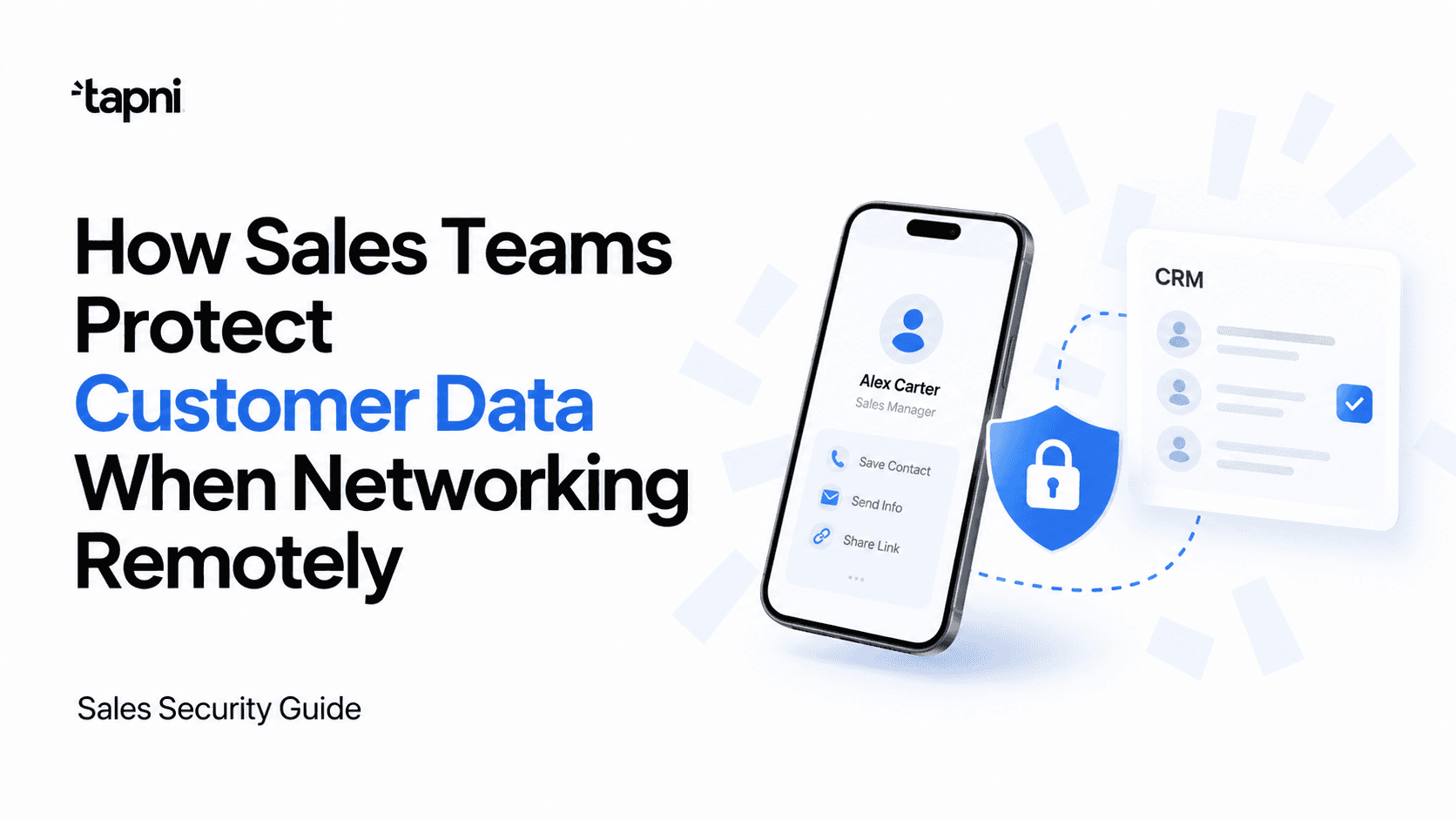
Sales work rarely stays in one place. A sales representative might start the morning at home, meet a prospect at a conference, answer emails from a hotel, update the CRM from a café, and finish the day in an airport lounge.
That flexibility helps sales teams move faster, but it also means customer information is constantly moving between devices, networks, apps, and people.
Names, phone numbers, email addresses, meeting notes, job titles, buying signals, and CRM records may not seem particularly sensitive when viewed separately. Together, however, they can reveal a great deal about a company’s customers, prospects, sales pipeline, and commercial relationships.
For modern sales teams, customer data protection should therefore be part of the normal networking and lead-management process, not something handled only by the IT department.
Strong passwords and multi-factor authentication are important, but they do not solve every security problem.
Salespeople regularly connect through hotel Wi-Fi, conference networks, cafés, coworking spaces, airports, and other shared connections. These networks are convenient, but the sales team does not control how they are configured or who else is using them.
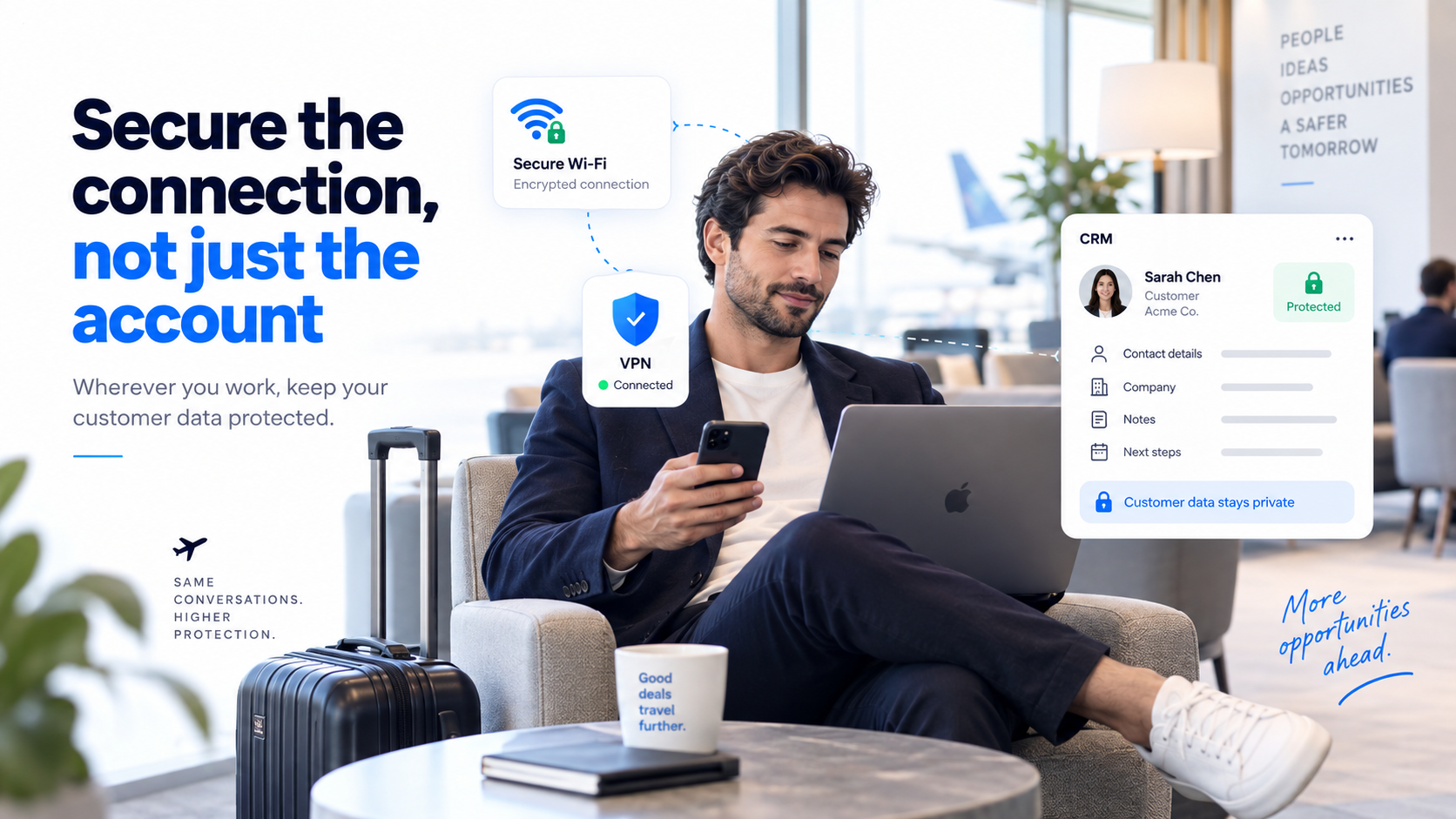
For companies with employees working across different locations, a business vpn can provide an additional layer of protection when staff connect to business resources away from the office. This can be especially useful when a salesperson needs to access a CRM, customer records, internal documents, or sales dashboards while travelling.
A VPN should not be treated as a complete security solution, though. It does not replace device security, access controls, multi-factor authentication, phishing awareness, or good data-handling habits.
The objective is to create a setup where security operates quietly in the background, allowing salespeople to focus on conversations and relationships rather than worrying about every network they use.
Networking events create a different type of data-security challenge.
A salesperson can meet dozens or even hundreds of people during a conference, trade show, industry dinner, or networking event. Contact details may be collected through paper business cards, QR codes, lead forms, event apps, LinkedIn, notes, or CRM integrations.
The temptation is to collect everything.
A better approach is to decide in advance which information the sales team actually needs. In many cases, a name, company, job title, email address, phone number, meeting context, and a short note about the conversation may be enough.
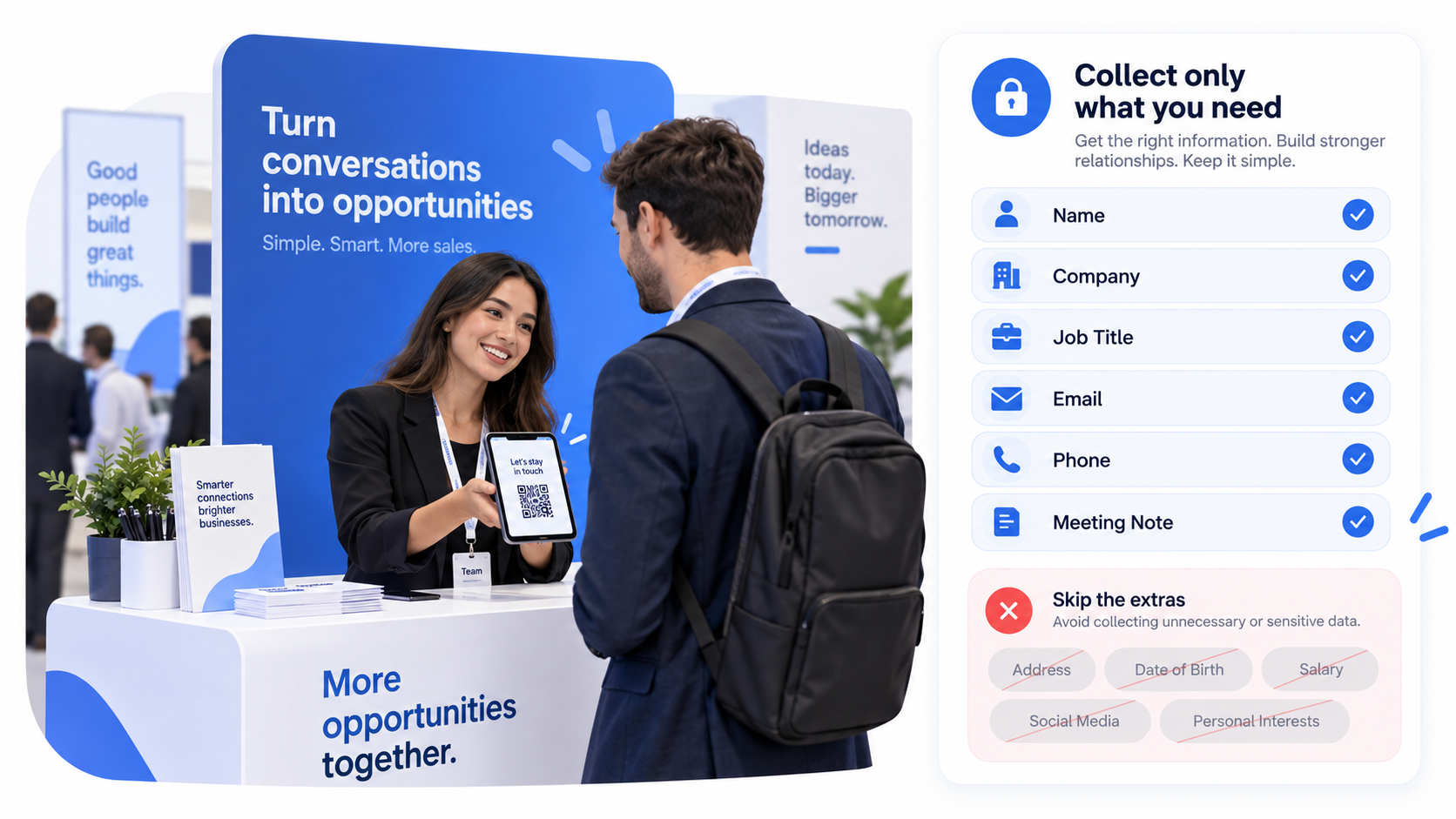
Collecting unnecessary data creates more information for the company to store, manage, protect, and eventually delete.
If events are a major acquisition channel for your team, it also helps to establish one approved process for capturing leads at events instead of allowing every salesperson to create their own system.
The more consistent the process is, the easier it becomes to keep customer data organized.
One of the biggest risks after an event is not necessarily a sophisticated cyberattack. It is simple fragmentation.
A new prospect may exist as:
When customer information is scattered across multiple places, it becomes harder to manage access, maintain accurate records, and ensure that important leads are not lost when an employee changes role or leaves the company.
The CRM should ideally become the main system of record for sales contacts.
For paper cards that still enter the process, tools such as AI business card scanners with CRM integration can reduce the need for salespeople to manually copy customer details into different systems.
A structured workflow might look like this:
Meet the prospect → capture the contact → add the context of the meeting → sync the lead to the CRM → follow up from the approved business account.
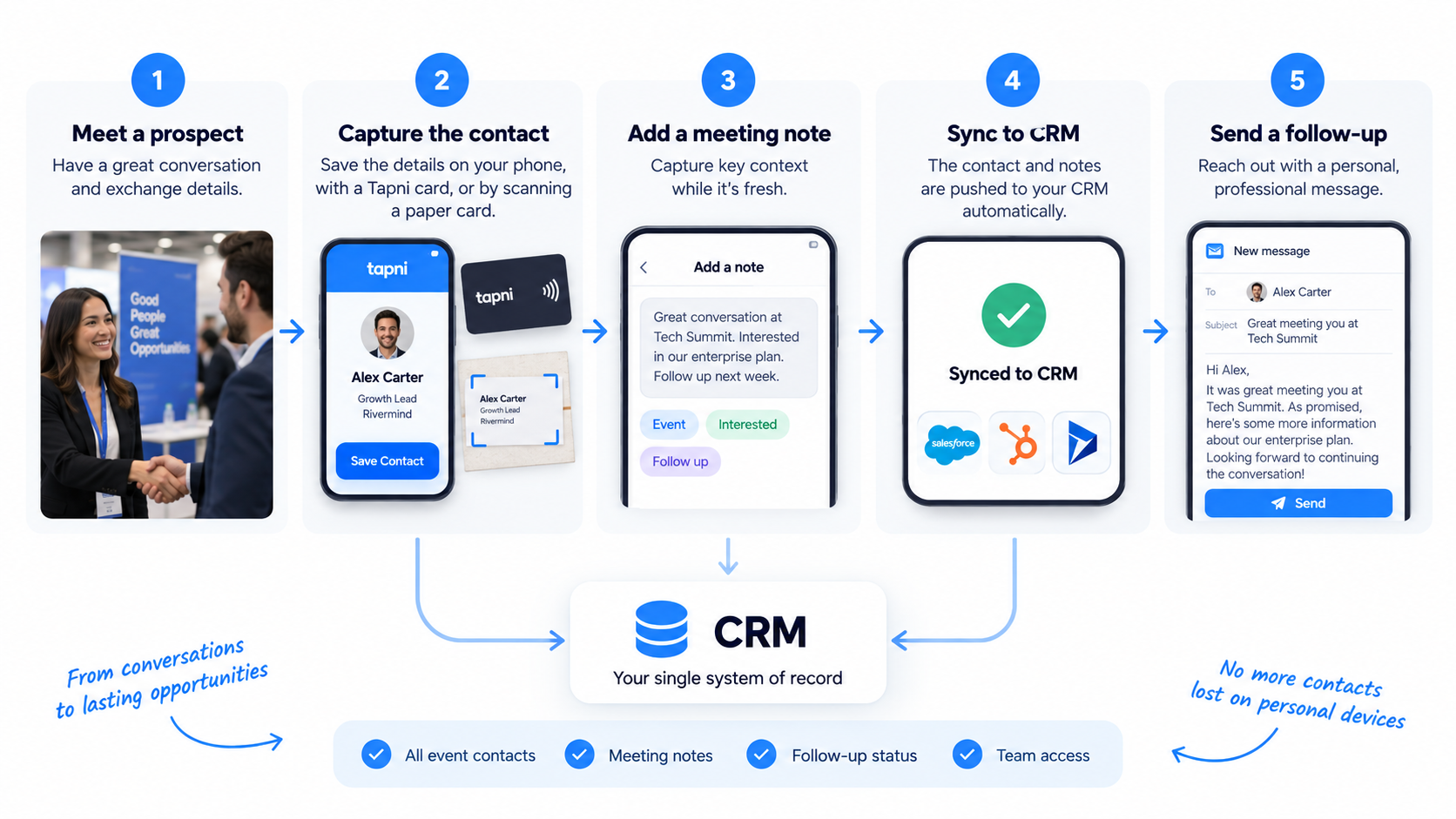
This is both more efficient and easier to govern than keeping customer information across individual employees’ phones and inboxes.
Traditional paper business cards are simple, but what happens after the exchange is often not.
Someone still needs to type the information into a phone, spreadsheet, or CRM. Notes about where the person was met can easily disappear, and the receiving salesperson may forget to process the card altogether.
A digital business card can create a more structured contact exchange.
Instead of handing over a static piece of paper, sales representatives can share their contact details through NFC, QR codes, a link, or a digital profile. New contacts can then be captured through an approved workflow rather than being manually stored wherever is most convenient.
For sales teams, the security benefit is not simply that the business card is digital. The real advantage comes when the networking process is connected to the company’s existing contact-management and CRM systems.
That makes it easier to define where new lead data belongs and how it should be handled after the first interaction.
If your team regularly attends conferences or client meetings, Tapni’s guide on how to network as a sales rep covers the broader process from exchanging details to following up and keeping new contacts organized.
Using one phone or laptop for everything is common, particularly for salespeople who travel frequently.
It can also blur the boundary between personal and professional information.
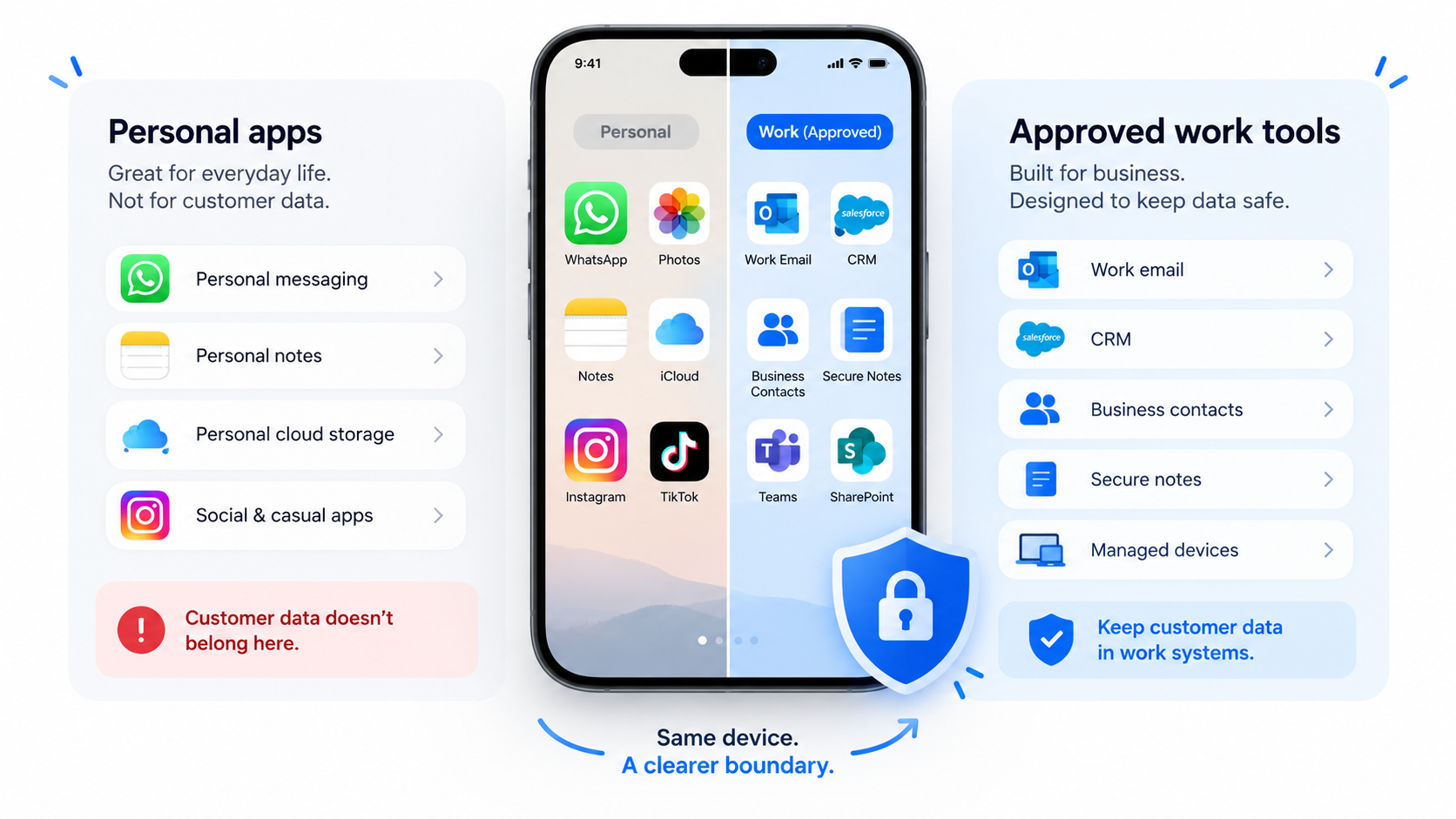
Sales teams should avoid storing customer lists, exported CRM files, contracts, or sensitive documents inside personal cloud storage, messaging apps, note-taking tools, or email accounts simply because they are convenient.
Where possible, business accounts should have appropriate access controls and devices used for work should have:
screen locks, automatic updates, encrypted storage, current operating systems, multi-factor authentication, and the ability to remotely restrict access if a device is lost.
The same principle applies to contact information.
Saving every prospect permanently into a salesperson’s personal address book may be convenient, but it can make company data harder to manage centrally. A lead-management platform or CRM provides a clearer separation between personal contacts and business relationships.
CRM security is not only about preventing unauthorized access.
It is also about keeping customer information organized enough that the business knows where it is.
A well-structured CRM process can reduce the number of duplicate spreadsheets, exported lists, screenshots, personal notes, and temporary files employees create during everyday sales work.
This becomes particularly important after conferences.
When lead capture tools connect directly with a CRM, a salesperson can record the contact and context once rather than copying the same information between systems.
Digital networking can also generate useful engagement information without requiring salespeople to maintain separate manual tracking systems. For example, NFC business cards can provide networking insights while helping teams centralize lead capture and CRM activity.
The principle is simple: the fewer uncontrolled copies of customer information your sales process creates, the easier that information is to manage.
Remote sales work often involves accessing customer information from environments that were never designed as offices.
Employees may answer emails from trains, open CRM records in cafés, join video calls in airports, or review proposals in hotel lobbies.
The risk is not limited to the internet connection.
Salespeople should also think about who can physically see their screen, whether confidential documents are being discussed within earshot of other people, and what happens if a laptop or phone is left unattended.
Simple habits matter:
Lock the screen whenever you step away. Avoid opening highly sensitive customer information where others can easily see it. Use headphones for confidential calls. Be cautious with unknown USB charging stations and unfamiliar devices. Do not download customer databases or large CRM exports unless there is a genuine business need.
Remote working does not require salespeople to become security specialists. It requires a repeatable set of habits that reduces unnecessary exposure.
Security training does not have to be a long technical session filled with policies people forget.
A small number of practical rules can make a noticeable difference:
Verify unexpected requests for customer information. Be cautious with unfamiliar links and attachments. Use approved tools for customer communication. Lock devices when stepping away. Report lost equipment or suspicious activity quickly. Avoid moving customer data into personal apps.
Sales teams can also benefit from following established data security practices rather than treating information security as something handled exclusively by IT.
The people speaking directly with customers are often the first people inside the company to receive their information.
That makes sales representatives an important part of the company’s data-protection process.
Events are where sales efficiency and customer-data protection often intersect.
Salespeople need to move quickly. They do not want to spend several minutes manually creating CRM records while a line forms at the booth.
The answer should not be to abandon structure.
Instead, companies can design a faster approved workflow.
For example, a sales representative could share a digital business card or NFC card, let the prospect submit their preferred contact information, record a short meeting note, and send the lead directly into the CRM.
If the prospect hands over a paper card instead, the salesperson can scan it into the same system rather than taking a photo and processing it days later.
This is also good sales practice. One of the most common causes of missed opportunities is simply poor contact organization after an event. Tapni’s guide to common lead-loss mistakes when exchanging contact information explains why having a repeatable contact-exchange and follow-up process matters.
Security and sales efficiency do not have to compete with each other.
A good workflow improves both.
Tapni helps sales teams standardize what happens when employees exchange contact information in person.
Instead of relying entirely on paper cards and manually copying information between tools, teams can use digital business cards, NFC cards, QR codes, lead capture, contact management, and CRM-connected workflows.
The important part from a customer-data perspective is centralization.
When new contacts enter an approved business system, sales managers have greater control over where leads are stored and how they move through the sales process. Salespeople also have less reason to keep important prospect information scattered across personal notes, photos, messaging apps, and address books.
The goal is not to collect as much information as possible.
It is to make each business interaction easier to capture, organize, follow up, and manage responsibly.
Customer data protection does not have to make sales teams slower.
In fact, a well-organized approach can make the entire networking process easier.
Before a conference, teams can decide what information they need to collect and which tools employees should use.
During the event, salespeople can exchange details using an approved digital networking and lead-capture process.
After the event, contacts can move into the CRM, follow-ups can begin, and unnecessary copies of customer data can be removed.
The same principle applies when employees work remotely. Secure connections, controlled access, well-managed devices, and sensible data-handling habits allow salespeople to work from different locations without losing control of customer information.
For modern sales teams, networking is no longer limited to a meeting room or conference hall.
It happens at trade shows, over video calls, through email, on social platforms, in airports, and everywhere in between.
Protecting the information exchanged along the way should simply become part of how good sales teams work.