
Business card app.
Automate User Sync with Microsoft Azure
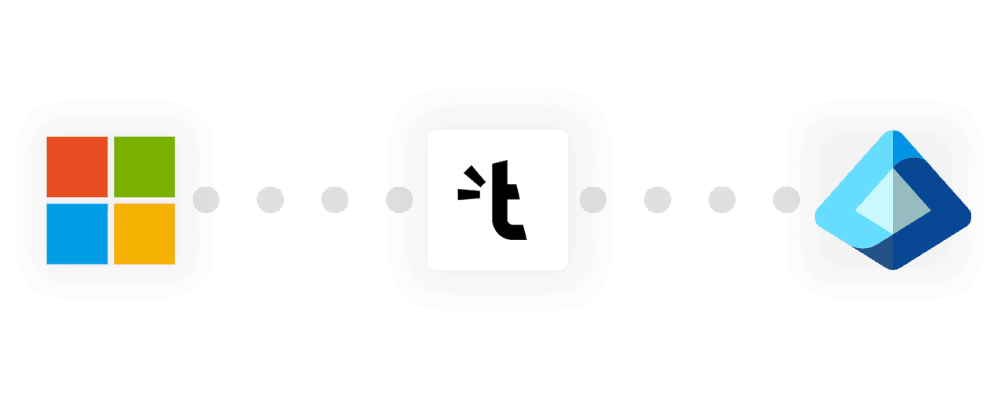
Save time and improve security—sync your Microsoft Azure users with the Tapni Business Dashboard in real time.

Trusted by professionals from big brands



Why Sync Microsoft Azure with Tapni?
No more manually adding or removing users. New employees get instant access to Tapni.
When an employee joins or leaves, their Tapni access updates automatically in real time.
Ensure only authorized users have access. Align Tapni with your Microsoft Azure policies.
How to Connect Microsoft Azure to Tapni
Access the Tapni Business Dashboard
Log in to your Tapni Business Dashboard. Navigate to Integrations > Microsoft Azure.
Authenticate with Microsoft Azure
Sign in with your Microsoft Azure Admin account and grant necessary permissions to enable user sync.
Configure Sync Settings
Select which users or groups should be synced. Enable automatic updates for role changes.
Complete the Setup
Click “Sync Users” to start the process. Tapni will update user details in real time.
For IT & Admins
- Reduce manual workload — No need to manually update users.
- Enhance security — Automatically remove inactive employees.
- Ensure compliance — Keep data aligned with your Azure AD policies.
For Employees & Teams
- Instant access to Tapni tools — New hires are onboarded automatically.
- Up-to-date contact details — User profiles stay current and synced.
Resources & Support


What Sets Tapni Apart?
Custom User Filtering
Sync only specific users, departments, or Azure AD groups.
Automated Deactivation
Instantly revoke Tapni access when employees leave the organization.
Role-Based Access Control
Assign permissions based on Azure AD admin roles.
Best Practices for a Secure & Efficient Integration
- Centralize Identity Management - Use Microsoft Azure as the primary security perimeter for managing user access.
- Implement Conditional Access Policies - Define which users can sync with Tapni to improve security.
- Enforce Multi-Factor Authentication (MFA) - Require MFA for all users to add an extra layer of protection.
- Utilize Role-Based Access Control (RBAC) - Assign permissions based on Azure AD roles.
- Regularly Monitor & Audit Access - Keep track of user activities and access logs for compliance.

Traditional Onboarding vs. Tapni’s Automated Sync
| Traditional Onboarding | Tapni's Automated Sync | |
|---|---|---|
| Time to Onboard | Several days | A few hours |
| Manual Effort | High | Minimal |
| Error Rate | Moderate to High | Low |
| Security Risks | Increased due to delays |

The Perfect Pair for Effortless User Management
If your team is on Microsoft Azure, you're already ahead of the game. But if you're not syncing it with Tapni, you’re leaving efficiency on the table.
- No More Manual Data Entry - Upload users from Microsoft Azure with a few clicks.
- Dynamic Filtering - Sync users based on roles, groups, or job titles.
- Instant Onboarding - New hires get instant access to Tapni, with no delays.
- Built-In Compliance & Security - User access is automatically revoked when they leave.
- Sync. Track. Optimize. - Get real-time reports on synced users and ensure everything stays audit-ready.
The Old Way
- 1HR emails IT a list of new employees.
- 2IT manually adds them to multiple systems.
- 3Someone forgets a name. Somebody misses an update.
- 4Employees wait DAYS for access.
- 5Offboarding? You hope no one forgets to revoke access.
The Tapni Way
- 1IT syncs Microsoft Azure with Tapni in seconds.
- 2New hires automatically get access.
- 3Exits? Access revoked instantly.
- 4No mistakes. No manual work. No delays.
Get Started with Microsoft Azure Integration
Ready to automate user sync with Tapni?
Click below to set up Microsoft Azure integration in just a few minutes!
Frequently Asked Questions
For any other questions, please feel free to contact us.
