Tapni

Business card app.

  • Shop
  • Business
  • Pricing
  1. Home
  2. Help

  3. Mobile app

  4. Adding widget to hom...

Contact Support

Contact

Contact our customer service agents for any additional inquiries

FAQs

See FAQs

View FAQs for detailed instructions on specific features

Tapni

Make Every Connection Count

LinkedInInstagramFacebookYoutube
Download on the App Store

Related Posts

  • How can the other person save my information?
  • How to reset my password from the Tapni App?
  • How to set up my profile?
  • How to add links to my Tapni profile? 
  • How can I change the language of the App? 
  • I tried it with an NFC compatible device but it doesn't work
  • How can I send people to a specific/direct link?
  • How can I save the other person's information?
  • The app says “This is not a valid tag” when activating my product

How to add Tapni QR Widget to Your Home Screen

How to add Tapni QR Widget to Your Home Screen

You can place your Tapni QR code directly on your phone’s home screen for instant access. This lets you share your digital card in seconds - no need to open the app or search for your profile.

Follow the steps below to add the Tapni widget to your home screen and start sharing faster.🚀


Step 1

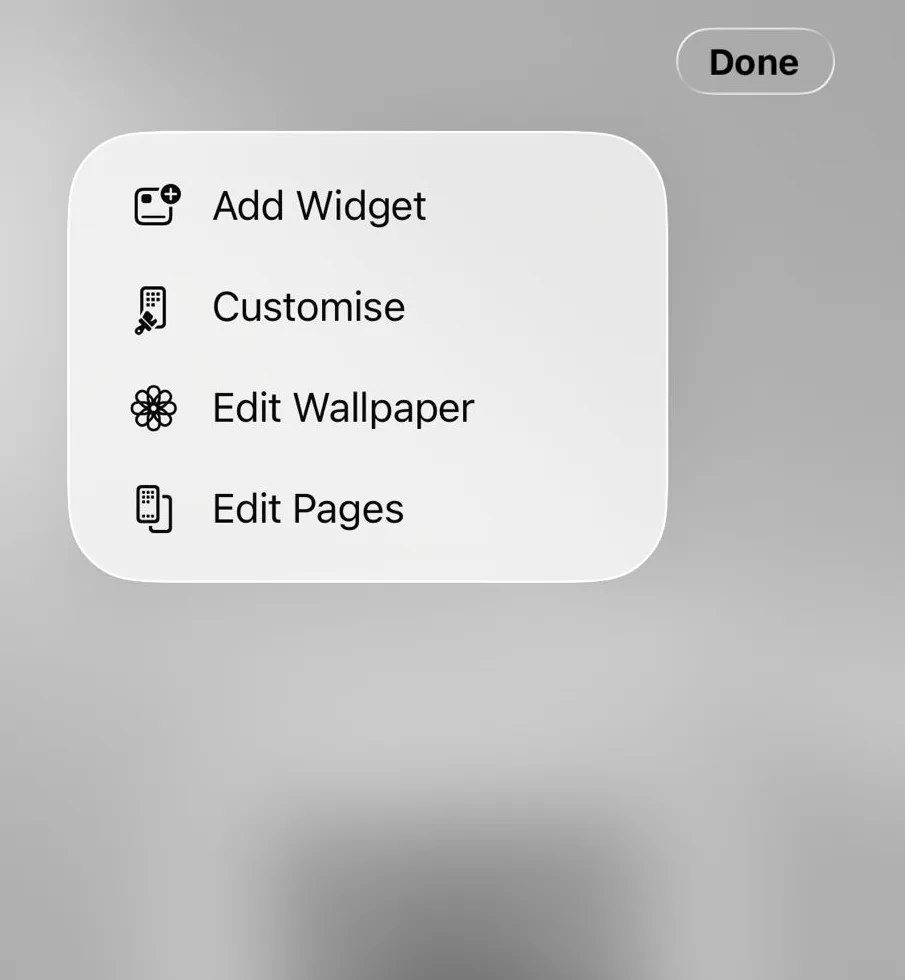
Make sure you are logged into the Tapni app. On your phone, press and hold on the home screen until the widget editing menu appears. Then tap Edit, followed by Add Widget.
Image

Step 2

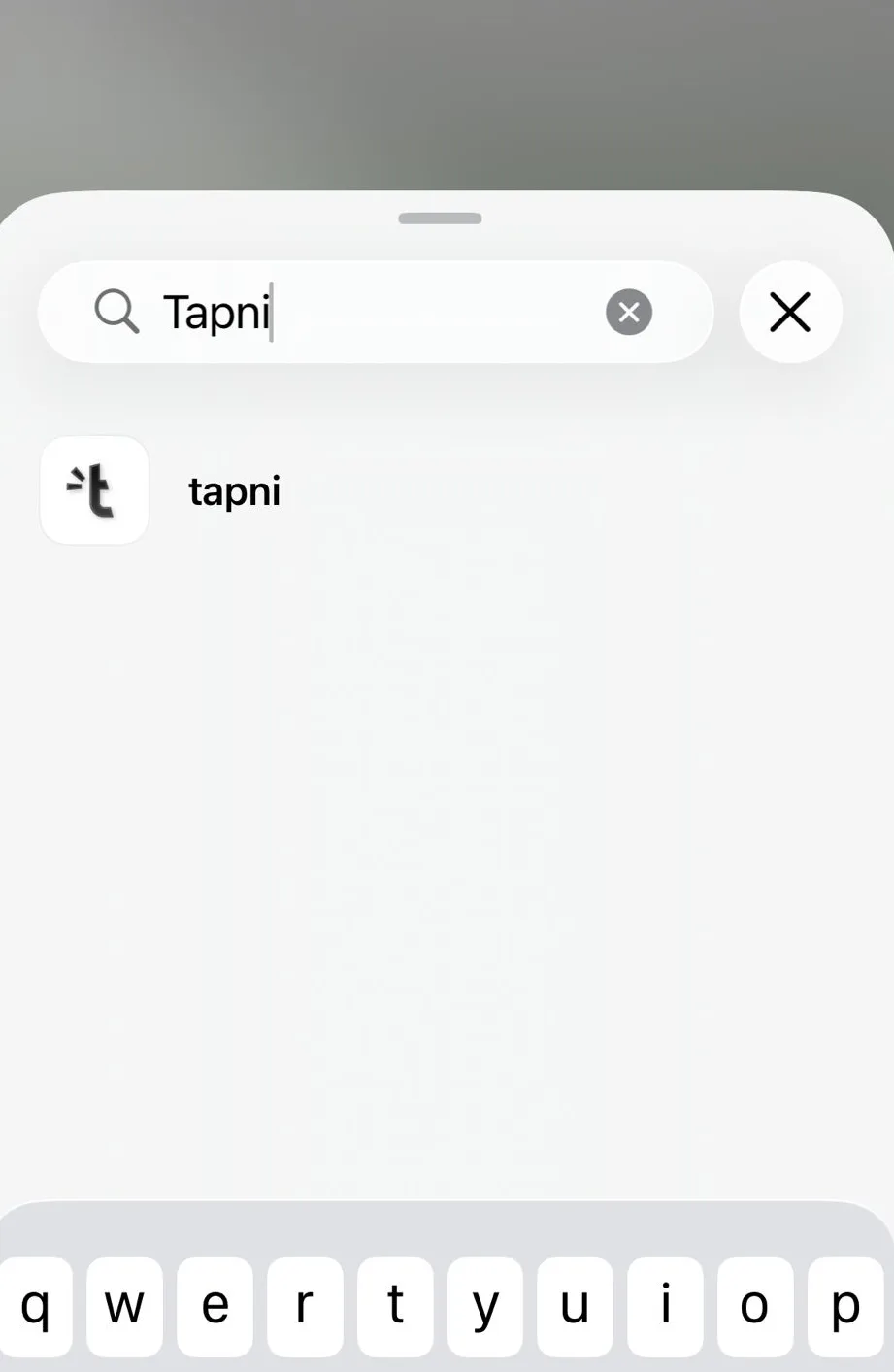
In the widget search bar, type Tapni and tap on the app when it appears.
Image


Step 3

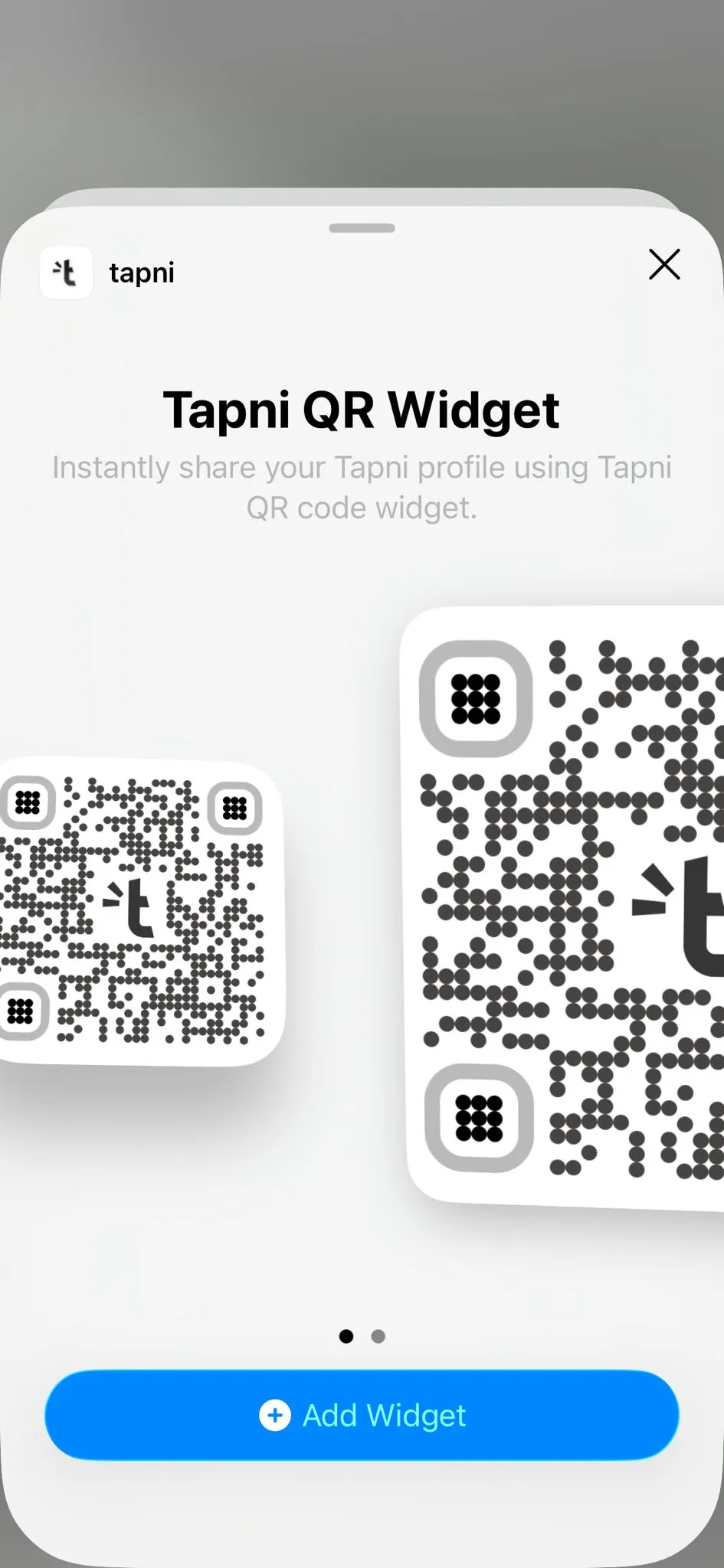
Choose whether you want the small or large widget, select it, and tap Add Widget.
Image


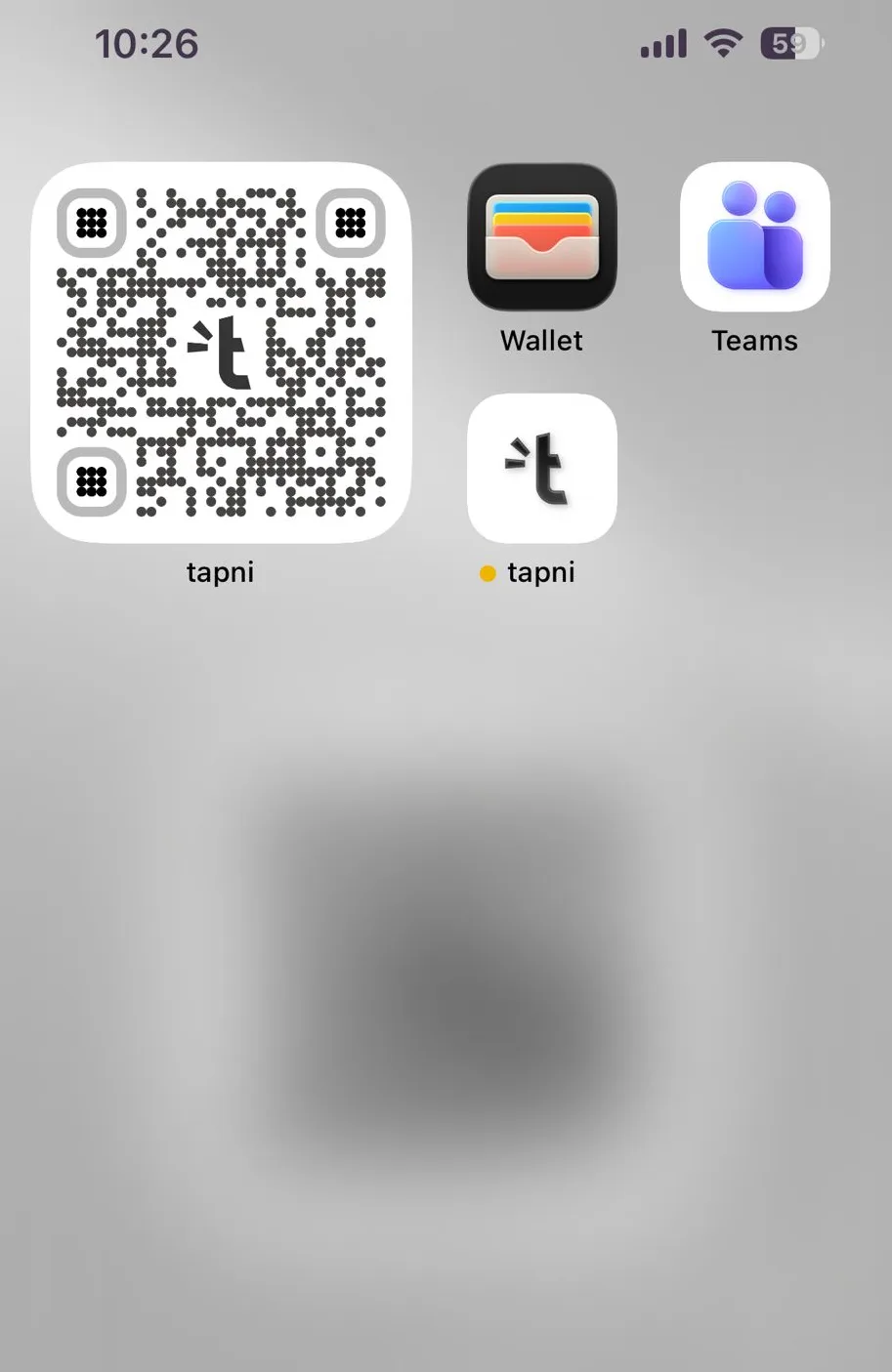
Step 4

Your widget will be placed on your home screen, where it can be scanned directly from the screen. It’s also clickable and will open your Tapni app.
Image


Your QR widget is now ready on your home screen and can be shared instantly without opening the app. Any updates you make in the Tapni app will automatically reflect on the widget.

Tap, share, and start networking. 🚀

Help Center

Get Help

Browse our comprehensive product guides and documentation

Download on the App Store
Get it on Google PlayGet it on Google Play

Company

Stella-Klein-Löw-Weg 8, 1020 Vienna, Austria

  • Home
  • NFC Shop
  • Team & Business
  • Pricing
  • Contact Us
  • User Login

Resources

  • Blog
  • Help Center
  • E-Book
  • Integrations
  • API Reference
  • Biometric NFC Card
  • Referral Program

Legal

  • Terms Of Service
  • Refund Policy
  • DPA
  • ISO 27001
  • GDPR
  • Trees Planted
  • Net Zero
HubSpot PartnerSalesforce Partner
American ExpressApple Pay

Sections

    No sections found.

No sections found.

  • Right To Cancel
  • Copyright Declaration
  • Privacy Policy
  • XML Sitemap
  • GDPR
  • Intelectual Property
  • Impressum
  • ISO Certificate EN
  • ISO Certificate SR
  • Free Tools

    • QR Code Generator
    • Email Signature Generator
    • Virtual Background Generator

    Comparison

    • Tapni vs Popl
    • Tapni vs Blinq
    • Tapni vs HiHello
    • Tapni vs Linq
    • Tapni vs V1CE
    • Tapni vs Mobilo
    • Tapni vs Uniqode
    • Tapni vs Wave Connect
    Google Pay
    Maestro
    Mastercard
    PayPal
    Shop Pay
    Union Pay
    Visa
    © 2026 Tapni, All Rights Reserved.